PowerCert Animated Videos

PowerCert Animated Videos

@powercertanimatedvideos · 1.8M subscribers · 134 videos · English

Learn Visually. A channel of animated information technology videos such as networking, computers, routers, switches, servers, comptia courses, etc. Thank you for stopping by. All videos are copyrighted. Re-uploading these videos to youtube or any other platform is strictly prohibited.

What learners say

Watched PowerCert Animated Videos? Tell other learners what you think below, or read the discussion around the channel.

Click to see the discussion

Videos

4:25:13

CompTIA A+ Core 1 (220-1201) Full Certification Course

274K views · 2mo ago · 4:25:13

This is the animated CompTIA A+ Core 1 (220-1201) Full Certification Course. CompTIA A+ study guide that I recommend along with this video Become a member TIP JAR Save 75% on a 2-year plan + 4 months free My monitor (Purchased this on 11-9-25) that I use and recommend My keyboard My mouse

📖 Mentioned books: CompTIA A study guide that I recommend along with this video · monitor (Purchased this on 11-9-25) that I use and recommend · keyboard · mouse

9:03

How a DDOS Attack Works

81K views · 6mo ago · 9:03

DDOS stands for distributed denial of service. And this is a cyber attack on a specific server or network with an intended purpose of disrupting that network or server’s normal operation. Surf the internet safely and anonymously. Get the VPN that I use.

7:28

What is a Honeypot?

37K views · 6mo ago · 7:28

A honeypot is a deceptive mechanism that is used to draw in and catch cyber criminals so that an organization may examine their strategies and better prepare for their defenses. It serves as a safe haven where malicious activity can be observed, examined, and learned from without posing a threat to a real network.

9:12

Load Balancer Explained

55K views · 7mo ago · 9:12

What is a load balancer? A load balancer is a piece of hardware or software that is used to evenly distribute data activity across a network so that no single server or computer becomes overwhelmed with the workload. Topics Include Intro: 00:00 How it works: 01:35 Static Algorithms: 01:53 Dynamic Algorithms: 04:07 Benefits: 06:36 DDoS Protection: 07:14

7:10

What is a Jump Server? (Bastion Host)

51K views · 8mo ago · 7:10

A jump server (jump box, bastion host) is a server that allows you to securely access other servers or networks in a more limited security zone. It operates as a gateway, letting you access servers in a private network while keeping them safe from direct access from the outside.

8:32

What Is Phishing?

33K views · 10mo ago · 8:32

Protect your identity. Click here to get a 14 day free trial and see if your personal information has been leaked online. Phishing is a very common type of internet fraud in which criminals try to fool people into giving private information, such as credit card numbers, passwords, or other personal information, by posing as a legitimate company or person.

9:30

VLANs, Tagging, Trunking, VxLAN, & Native VLAN

179K views · 11mo ago · 9:30

VLAN stands for virtual local area network. This is an animated video where vlans, trunking, tagging, vxlans and native vlans are discussed. A VLAN is a local area network where the computers, servers, and other network devices are logically grouped regardless of their physical location. It logically groups devices into separate network segments.. The purpose of a VLAN is for improved security, traffic management and to make a network more simple.

📖 Mentioned book: VLAN switch I purchased

4:17:16

CompTIA Network+ N10-009 Full Certification Course

625K views · 12mo ago · 4:17:16

This is the animated CompTIA Network+ N10-009 Certification Course. TIP JAR Save 70% on a 2-year plan + 4 months free My monitor (Purchased this on 11-9-25) that I use and recommend My keyboard My mouse (English, Arabic, Hindi, Spanish, German, French, Portuguese, Russian, Indonesian, Japanese, Indonesian, Italian, Hebrew, Dutch, Polish, and Ukrainian audio tracks available)

📖 Mentioned books: monitor (Purchased this on 11-9-25) that I use and recommend · keyboard · mouse
8:36

WiFi 7 Explained

265K views · 1y ago · 8:36

WiFi 7 - This is an animated video talking about the new features in WI-FI 7 (802.11be). WIFI 7 is the 7th generation of wifi that was released in 2024 and is the latest wireless standard that’s used in wireless devices.

13:13

Routing Tables | CCNA - Explained

234K views · 1y ago · 13:13

Guest: Routing Tables

What is a routing table? A routing table is a file that contains a set of rules that shows information on what path a data packet takes to its destination. There are audio tracks in different languages in this video. Go to the video that you want to watch. In the video player, select Settings . Select Audio. Choose your preferred language.

5:41

Virtual Private Cloud (VPC) Explained

76K views · 1y ago · 5:41

What is a Virtual Private Cloud? A virtual private cloud is an isolated private network within a public cloud. There are audio tracks in different languages in this video. Go to the video that you want to watch. In the video player, select Settings . Select Audio. Choose your preferred language.

9:21

WIFI (wireless) Standards and Generations Explained

173K views · 1y ago · 9:21

In his video we’re going to talk about a history of the (wireless) Wi-Fi standards and generations. Such as the 802.11 standards. Save 73% on a 2-year plan + 4 months free There are audio tracks in different languages in this video. Go to the video that you want to watch. In the video player, select Settings . Select Audio. Choose your preferred language.

11:55

Spanning Tree Protocol | CCNA - Explained

339K views · 2y ago · 11:55

Guest: Spanning Tree Protocol

The Spanning Tree Protocol was developed to prevent broadcast loops when multiple switches are used on a network. This video also shows you how to create switching loops (broadcast storm). Topics Include Intro: 00:00 Switches & broadcasts: 00:29 Broadcast loops: 01:36 How STP works: 03:18 BPDU & root bridge: 03:49 Root ports: 05:15 Blocked ports: 07:34 Development and history: 08:31 Broadcast storm demonstration: 09:10

7:34

What is VoIP?

238K views · 2y ago · 7:34

personal information has been leaked online. VoIP stands for voice over internet protocol. It's a technology that allows you to make phone calls over an internet connection instead of over standard telephone lines

6:13

What is RAID Parity?

105K views · 2y ago · 6:13

What is Parity? RAID parity is information that is used to rebuild the data in the event of a disk failure. This video teaches how parity is calculated.

6:03

IPsec Explained

254K views · 2y ago · 6:03

IPsec is a set of protocols for security at the network layer of the OSI model. IPsec secures the data when communication is happening between two points over a network by adding encryption and authentication. It is also the protocol that is commonly used by businesses to create VPNs.

6:02

Layer 2 vs Layer 3 Switches

1.7M views · 2y ago · 6:02

Save 75% on a 2-year plan + 4 months free My monitor (Purchased this on 11-9-25) that I use and recommend My keyboard My mouse This is an animated video describing the difference between Layer 2 vs Layer 3 switches. Topics Include Intro: 00:00 What is a switch?: 00:09 OSI model: 00:24 Layer 2 switch: 00:54 Layer 3 switch: 02:05 Example VLAN scenario: 02:37 Router vs Layer 3 switch: 04:43 Review: 05:07

📖 Mentioned books: monitor (Purchased this on 11-9-25) that I use and recommend · keyboard · mouse

5:09

What is a Guest Network?

125K views · 3y ago · 5:09

A guest network is a feature on modern WIFI routers that allows visitors to have internet access in your home if you don’t want to give them your primary WIFI password or have access to any devices on your network. personal information has been leaked online.

14:08

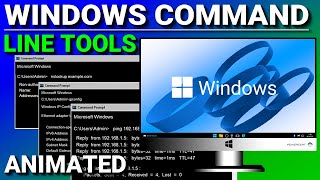
Windows Command Line Tools

251K views · 3y ago · 14:08

Windows command line tools provide a wealth of troubleshooting information about computers and networks and in this video, you’ll learn about a few of them including: Ping, Tracert, Pathping, NSlookup, ARP, IPconfig, Netstat, SFC, DISM, and Telnet.

6:43

What is a Patch Panel? (cable management)

712K views · 3y ago · 6:43

Purchase shares in great masterpieces from artists like Pablo Picasso, Banksy, Andy Warhol, and more A patch panel is a flat piece of hardware with network ports that is typically located in a server room or wiring closet. Its purpose is to reduce clutter by by keeping your network cables neat and organized.

8:50

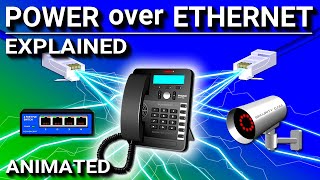
Power over Ethernet (PoE) - Explained

245K views · 3y ago · 8:50

Power over Ethernet (PoE) is a technology that delivers DC power to networking devices such as IP phones, security cameras, and wireless access points, over the copper wires in an Ethernet cable, which eliminates the need for a separate power cable.

14:14

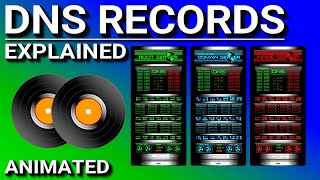
DNS Records Explained

538K views · 3y ago · 14:14

personal information has been leaked online. What are DNS records? In this video we’re going to talk about DNS records that you would find in a DNS server’s database. Such as A and AAAA records, MX, CNAME, SRV, TXT, PTR, and SOA.

7:11

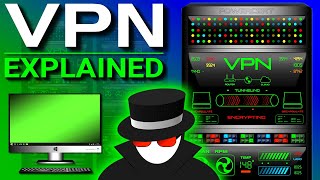
VPN (Virtual Private Network) Explained

929K views · 3y ago · 7:11

Save 65% on a 2-year plan + 4 months free What is a VPN? VPN stands for virtual private network. A VPN is what establishes a secure and reliable network connection over an unsecure network such as the internet. It protects your internet traffic and disguises your identity as you surf the internet.

8:07

Virtualization Explained

710K views · 4y ago · 8:07

What is virtualization? What is a hypervisor? Virtualization in computing is the process of simulating hardware and software, such as computers, operating systems, storage, and networking and it does it in a virtual or software environment.

▶️ Mentioned videos: Try Aura 14 days for FREE

5:51

Subnets vs VLANs

960K views · 4y ago · 5:51

What is the difference between subnets and VLANs? Both of these are used to separate or break down a network into smaller networks. Subnets separate networks physically, while VLANs separate networks virtually. My monitor (Purchased this on 11-9-25) that I use and recommend My keyboard My mouse

📖 Mentioned books: VLAN switch I purchased · monitor (Purchased this on 11-9-25) that I use and recommend · keyboard · mouse

10:33

Network Ports Explained

2.8M views · 4y ago · 10:33

What is a port? What are port numbers? A port is a logical connection that is used by programs Watch my Netstat video here Go to my partner to get a 14 day free trial and see if your personal information has been leaked online. (Fraud & Identity Protection, VPN, Antivirus, Password Manager, Parental Control)

📖 Mentioned book: Networking Audio Book recommendation

▶️ Mentioned videos: Watch Netstat video

14:15

Monitors Explained - LCD, LED, OLED, CRT, TN, IPS, VA

673K views · 4y ago · 14:15

A monitor is the primary output component of a computer. This video explains the different monitor types such as LCD, LED, OLED, and CRT. It also explains the different types of flat panels on LCD monitors such as TN, IPS, and VA. It also discusses resolutions, contrast ratios, refresh rates and response times. Which monitor is the best for gaming?

📖 Mentioned books: Monitor (Purchased this on 11-9-25) that I use and recommend · keyboard · mouse

6:59

Wireless Bridge Mode - Networking

537K views · 4y ago · 6:59

Wireless bridge mode is a feature that’s built into a wifi router that wirelessly connects 2 networks together and makes them one network. And it does this by using a router’s wireless signal to connect to another router’s signal to bridge the 2 networks together.

8:07

WiFi 6 Explained

1.4M views · 4y ago · 8:07

What is WiFi 6 (802.11ax) and WiFi 6E? This is an animated video explaining the features in WiFi 6. WiFi 6 is faster than WiFi 5...but speed wasn’t necessarily its main goal. The main goal of WiFi 6 is to make a WiFi network perform better when a lot of devices are connected to it.

📖 Mentioned books: WiFi 6 router recommendation (affiliate) · WiFi 6E router - powerful- 12 streams (affiliate) · WiFI 7 router recommendation

4:40

Bluetooth vs WiFi - What's the difference?

1.6M views · 5y ago · 4:40

This is an animated video comparing Bluetooth vs Wifi. These are radio frequency technologies that are used for wirelessly connecting electronic devices. Bluetooth is for connecting devices to each other. And Wifi is for connecting devices to the internet.

Showing the 48 most recent videos. Everything plays right here on The Pod Atlas.

Have thoughts about PowerCert Animated Videos? Share them with other learners.

Write a review

More Tech educational channels

← Back to all educational channels