Home Brew Audio

Home Brew Audio

@homebrewaudiorecording · 15K subscribers · 152 videos · English

Welcome to Home Brew Audio! Learn to easily record professional sounding audio at home - for podcasts, music, voiceovers, video narration, etc. Then you can …

Episodes

11:09

Cut and Trim Vocals in 3 Different Editors

241 views · 5mo ago · 11:09

How to do basic editing (no "effects") on vocal recordings - cutting and trimming. The examples here a of spoken vocals like you'd do for audio books or podcasts. But the same principles apply for music - on ANY recording, vocals or instruments.

4:04

Why Does My Reaper Look Weird?

471 views · 9mo ago · 4:04

Reaper is very customizable and can look very different, depending on which Theme you have selected. And it's not that hard to pick a different theme from the default, and potentially mess things up if you did it by accident, which is a thing!

4:19

Most Common Problem With Voice Recording - Fix It Immediately

206 views · 9mo ago · 4:19

This is THE most common cause of bad or amateur-sounding audio on voices recorded in home offices and studios. It's room reverb. It turns out that most bedrooms converted for recording spaces are the worst possible shape - rectangular or square. So sound just bounces off all the walls and creates this reverb. There are several ways to eliminate this reverb.

4:32

How To Improve Podcast Audio Quality

457 views · 2y ago · 4:32

Here are two ways to improve the audio quality of your voice for podcasts, voiceovers, etc. when recording at home. You can do one of these things right now. And it's free! I'm in a new house with bare walls to start out. I demonstrate how much better it sounds if you get the mic very close to your mouth. But then I put acoustic foam on the walls. The combination of the sound absorbing panels AND getting close to the mic results in professional sounding audio.

Topics: Mic (RODE NT-USB+) on desk with bare walls · No external mic - ONLY camera mic · Immediately improved audio - mic off desk · Clap test with bare walls · Acoustic panels on walls - mic on desk · Clap test with acoustic foam on the walls

3:47

Making a Time Selection In Reaper

14K views · 2y ago · 3:47

If you want to make a time selection in Reaper, you may have discovered that you end up moving audio around on the tracks instead. This can be really frustrating. It is not intuitive. You can do it if you don't hover your cursor over the tracks, picking a spot above or below or even between the tracks. Otherwise all that happens is stuff moves left or right in the tracks.

4:27

Punch and Roll Recording - Fix MIstakes As You Go

3.3K views · 3y ago · 4:27

"Punch and Roll" is a common way to fix mistakes while you are recording audio. So if you are narrating a voiceover or audiobook (or singing, playing an instrument - whatever), and you make a mistake. You just stop and do "punch and roll." Most recording software has that function built in, including Audacity, which I demonstrate in this video.

7:14

Render Multiple Files With Their Own File Names In Reaper

7.8K views · 3y ago · 7:14

Here is how to render (save as) many separate files from a single Reaper project, and have each file saved with its own file name. It's a bulk (or batch) process. So it all happens at once, in the same Render action. this is SUPER helpful if you have to split a single audio item into a bunch of smaller audio items (see my video on how to do that here: and then each of those small sections has to be saved as a separate file with its own file name.

▶️ Mentioned videos: Video on youtube.com

16:39

My Review of The SonicPresence On-Ear SP15 Binaural Microphone For Spatial Audio

4.2K views · 3y ago · 16:39

Here I review a different kind of microphone. It's called a "spatial" or "binaural" mic. It's the Sonic Presence SP15. It's not designed to record YOU, but rather to record what you are hearing. The listener then hears what you heard, the way you heard it. So it's perfect for recording experiences and events, such as live music, parties, sounds of nature, etc.

Topics: How do you wear the mic(s)? · The different models of the SP15 · In the pub with live music · Mono vs stereo guitar in the studio · Outside sounds · Used as a voiceover mic for indoor selfie videos

20:25

My Review of The RODE NT1 5th Generation Microphone

2.4K views · 3y ago · 20:25

Here is my review of the RODE NT1 5th Generation large-diaphragm condenser microphone. The earlier versions of the NT1 are used in a lot of studios by serious professional musicians, voiceover actors, podcasters, and audiobook narrators. So we start with a really good mic anyway.

Topics: What is a hybrid mic? · 32-Bit Float demo · What programs does 32-bit Float work with? · So how does it sound? Demo and comparisons. · Effects/DSP built in/RODE Connect · Shock mount & pop filter included

10:39

My Review of The RODE NT-USB+ Microphone

2.5K views · 3y ago · 10:39

I spent several days with the RØDE NT-USB+ microphone. As the name implies, it is a USB mic, meaning you can just plug it into a computer or mobile device, and it works right away (with a few caveats for iPhones, which you'll see in the video). You don't need a separate recording interface like you do with standard/XLR mics. You can hear for yourself in the video, but I think this mic sounds awesome.

9:02

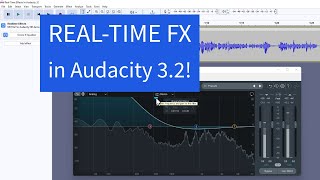
Real-Time Effects in Audacity 3.2

20K views · 4y ago · 9:02

Audacity 3.2 recently came out, and probably the biggest addition to the new version is real-time effects (or "real-time FX"). Now you can actually apply track effects non-destructively in Audacity! This is a feature that moves Audacity closer to being a full DAW (digital audio workstation) like Reaper, etc. It's a huge upgrade to Audacity, which I remind you is a FREE program.

4:41

Audacity Moving Other Clips

3.5K views · 4y ago · 4:41

Some asked why Audacity 3.1.1, which now has non-destructive editing, was still moving other clips later in the timeline when performing a cut or delete. She had unchecked the box in Preferences that says "Editing a clip can move other clips." And still, cutting out some audio still resulted in the downstream/later audio connecting back up with the stuff still there after the cut.

3:19

Save Audio To Target Loudness In Reaper

3.5K views · 4y ago · 3:19

Previous video on saving audio to target loudness in Audacity is here: This follow-on video shows you how to save your final audio file to a target average loudness level using Reaper recording software (DAW). You'll learn how to do that for both for a podcast and an audiobook for Audible ACX. For podcasts, the target level should be -16 LUFS (loudness units full scale) for stereo files. For ACX audiobooks, there is a target range of between -23 dB and -18dB.

▶️ Mentioned videos: Previous video on saving audio to target loudness in Audacity is

Showing the 15 most recent episodes. Everything plays right here on The Pod Atlas.

Have thoughts about Home Brew Audio? Share them with other listeners.

Write a review

More Music podcasts

← Back to all pods